A classroom quiz, no account for students
You project the questions, your students answer from a phone with the game PIN. They have nothing to install and no account to create. Pengou is free and hosted in France.
Only the host creates an account. Players never do: they join the game with its code.
Three moments when a quiz helps the class
Reviewing before a test. Ten questions at the end of the hour show what is understood and what is still unclear, for you and for the students.
Finishing a chapter. The quiz closes the unit on a shared moment. Points and the podium make students want to answer well.
Introducing a topic. A few questions before the lesson bring up what the class already knows. You adjust what comes next accordingly.
How to use it in three steps
-
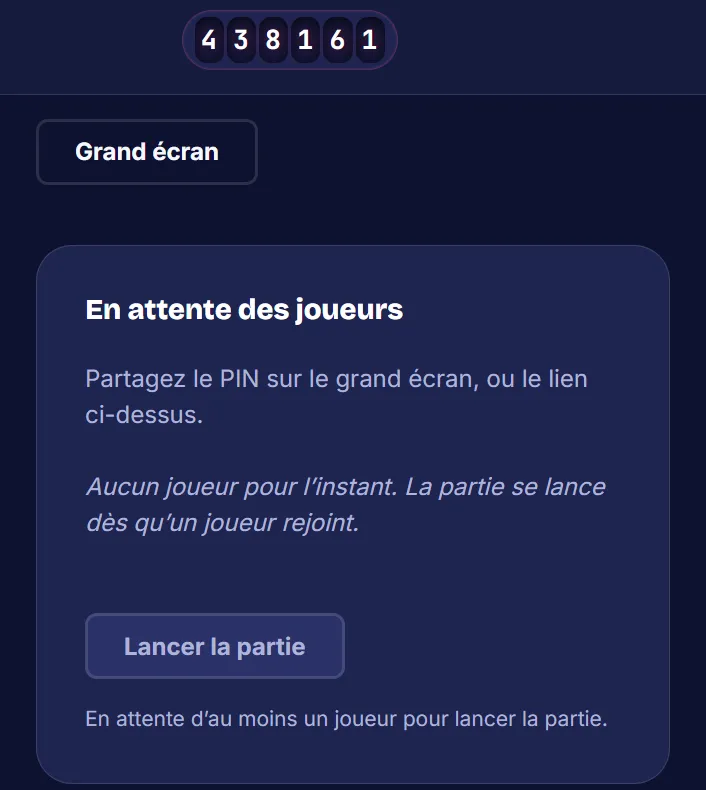
Create your quiz online from your account, then start the game. The game PIN is shown at the top of your screen.
-
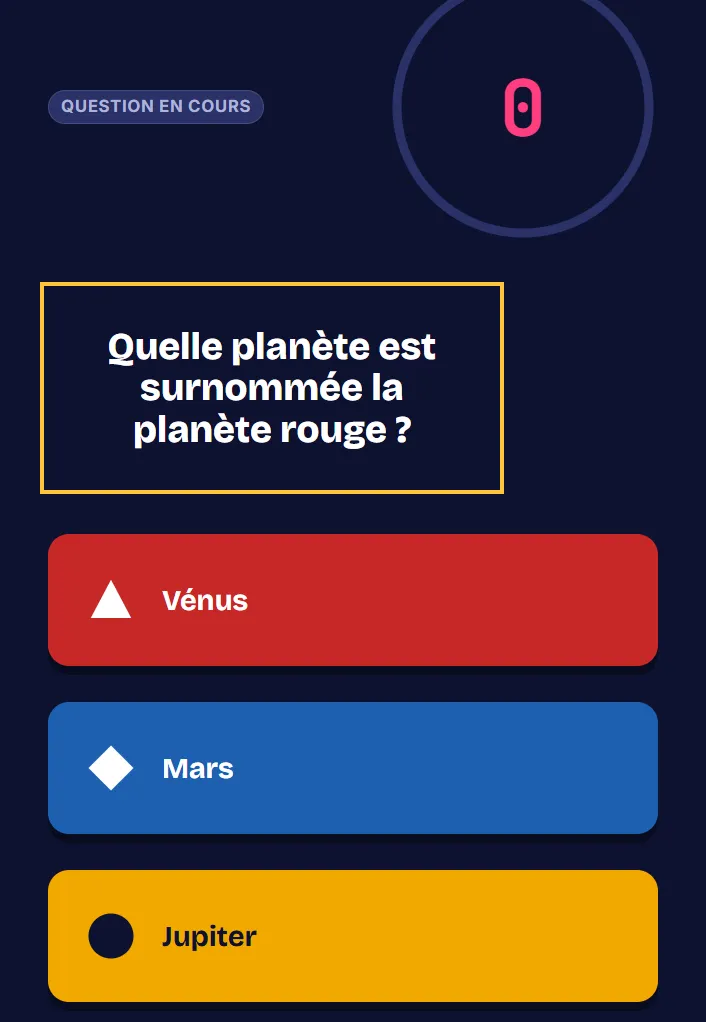
Open the big screen on the projector or the interactive whiteboard. The question and its answers are shown there for the whole class.
-
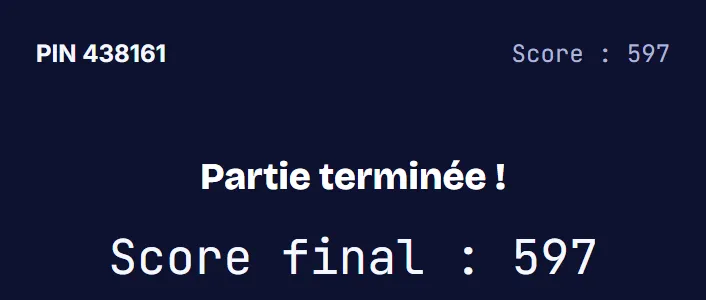
Students open Pengou in a phone's browser, enter the code or scan the QR code on the big screen, then choose a nickname. At the end, everyone sees their score and rank.
You need one connected device per player. If phones are not allowed or there are not enough of them, have the class play in teams: one device for three or four students, under a team nickname.
To prepare the session, the guide Making your first classroom quiz a success explains the method step by step.
Example: a review quiz on the solar system
Here is a complete ten-question quiz for the end of a unit in cycle 3 of the French curriculum (ages 9 to 11). It alternates multiple choice, true or false, free text and slider so that the game is not just multiple choice.
- Multiple choice. Which planet is closest to the Sun? Mercury, Venus, Mars or Jupiter. Answer: Mercury.
- True or false. The Moon is a planet. Answer: false, it is the Earth's natural satellite.
- Slider. How many planets does the solar system have? Answer: 8.
- Multiple choice. Which planet is nicknamed the red planet? Venus, Mars or Jupiter. Answer: Mars.
- Free text. What is the name of the star at the center of the solar system? Answer: the Sun.
- True or false. The Earth goes around the Sun in about a year. Answer: true.
- Multiple choice. What is the largest planet in the solar system? Saturn, Jupiter, Neptune or Earth. Answer: Jupiter.
- Slider. How many hours does it take the Earth to spin once on its axis? Answer: 24.
- True or false. Saturn is the only planet with rings. Answer: false, Jupiter, Uranus and Neptune have them too.
- Free text. What is the name of the Earth's natural satellite? Answer: the Moon.
For the free text answers, save several accepted answers, for example "Sun" and "the Sun". Pengou ignores accents.
After the game, open the report. The question with the fewest correct answers tells you where to pick up the next session. Questions 2 and 9 set a trap for those who answer too fast: a good chance to talk about it.
Features that help in class
The reading phase shows the question alone for a few seconds, before the answers. Students who read more slowly have time to understand the question.
Creating a quiz is not limited to multiple choice: true or false, free text and the slider, to place a date or a value, vary the exercises.
The score is calculated by the server, with a speed bonus. Nobody can change their points from their phone.
After the game, a report gives the scores and the answers. You can export it as a CSV file to open it in a spreadsheet. See all the features.
Your students and their data
Students play without an account, with a nickname. Nicknames appear in the game report and on the big screen: ask for a nickname rather than a real name, and remind the class of the rule before starting the game.
The data stays on a server in Paris. The Privacy and GDPR page details what is processed, and why.
Does your school need to approve the tool? The page for schools gathers what the head of school and the data protection officer (DPO) ask for. Pengou is not integrated with the GAR (the French national access gateway for educational resources) or with ENT (school digital workspaces).
Frequently asked questions
Do students have to create an account?
No. Only you create an account. Students enter the game PIN and a nickname.
Is Pengou free for my school?
Yes. Pengou has no subscription and no premium version, and being free does not depend on your level of teaching.
Do I need to install an app?
No. Pengou works in the browser, on the students' phones as well as on the classroom computer.
More answers are waiting in the FAQ. Already know Kahoot? The Kahoot alternative page explains what changes with Pengou.
Try Pengou
Create a host account to prepare your first quiz, or join a game with its code.